Automatic capture
Records your active app, site, and session in the background. No timer to start, no manual tagging to clean up later.

No timers to start, no entries to fill in. drifty records the day as you work and shows you where the focus actually went.
Why drifty
drifty records the apps, sites, and sessions behind your day, then classifies the work context without manual timers or tags.
Records your active app, site, and session in the background. No timer to start, no manual tagging to clean up later.
Uses fast model routes to label captured activity as Focus, Neutral, or Drift without asking you to tag it.
No screen recording or saved screenshots. Run AI locally, in drifty Cloud, or with your own key.
Memory.md combines your editable work profile and generalized patterns learned from corrections with the current app and the last 30 minutes.
Gemini Flash, DeepSeek V4 Flash, Qwen 3.6 27B
AI MODES
The same activity classification can run in drifty Cloud, through your own API key, or on your Mac.
High-performance AI classification, managed by drifty.
Use your own OpenRouter key and control usage.
Run classification directly on your Mac.
01Track & visualize
drifty records your apps, sites, and sessions in three-minute blocks. No manual logging, no timers to start.
drifty records the app, site, and session while you work. By the end of the day, the timeline is ready to review.
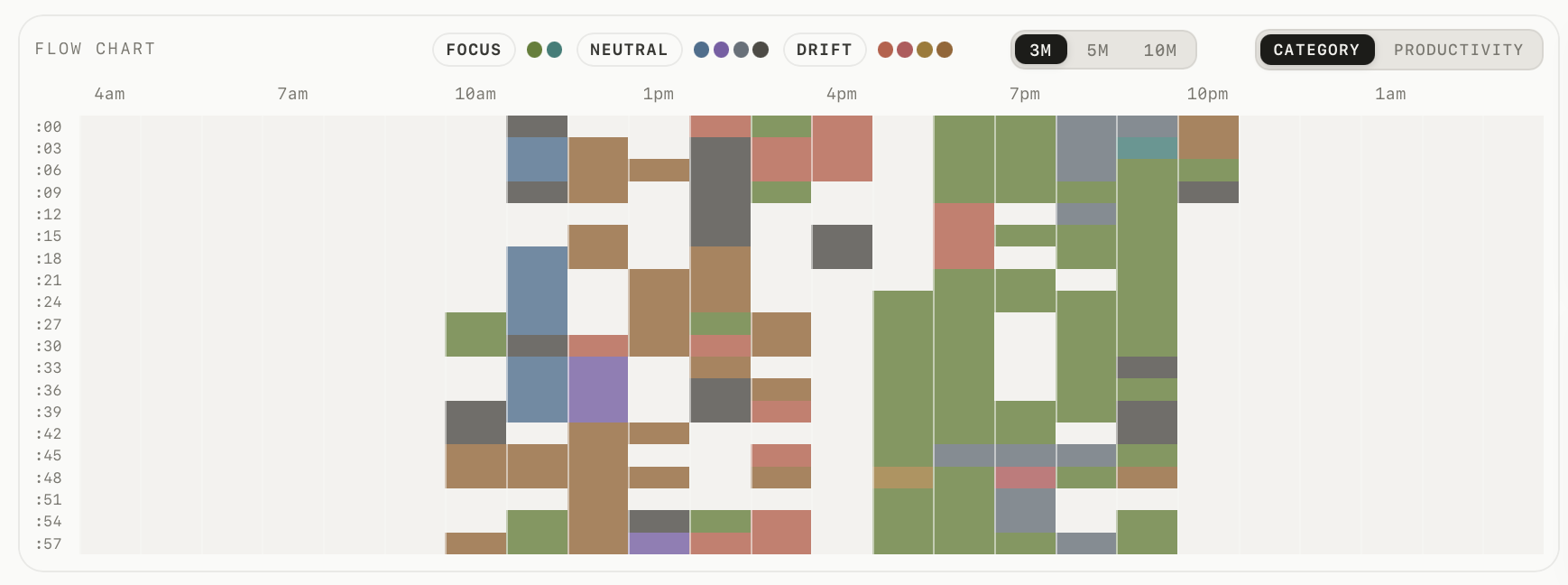
Each block is three minutes, labeled as focus, neutral, or drift. Zoom out for the full day, or switch views to see what filled each hour.
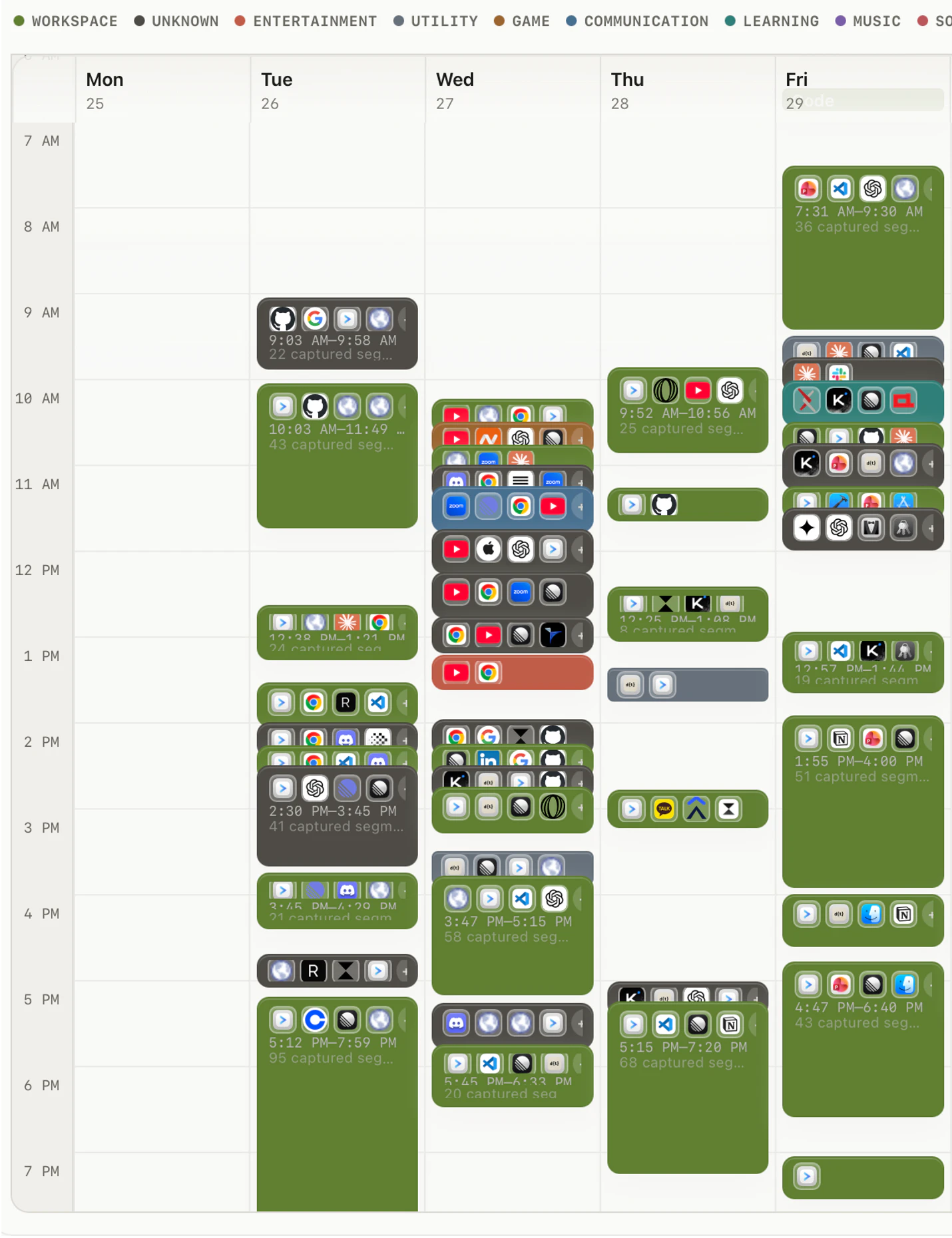
Captured segments stack into a weekly view automatically. Each card keeps its source apps and sites, with daily rings and weekly bars for a faster summary.

02AI classification
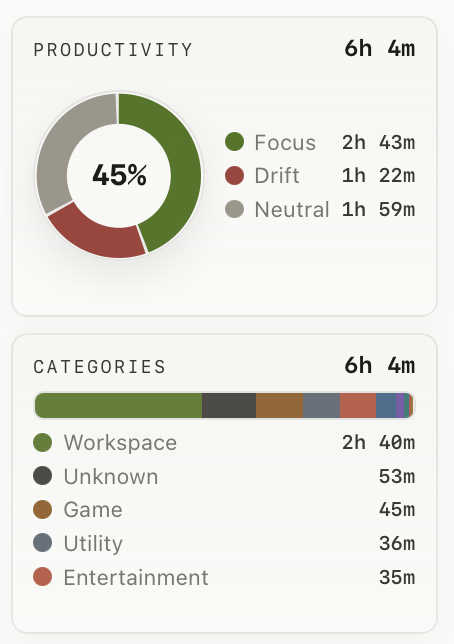
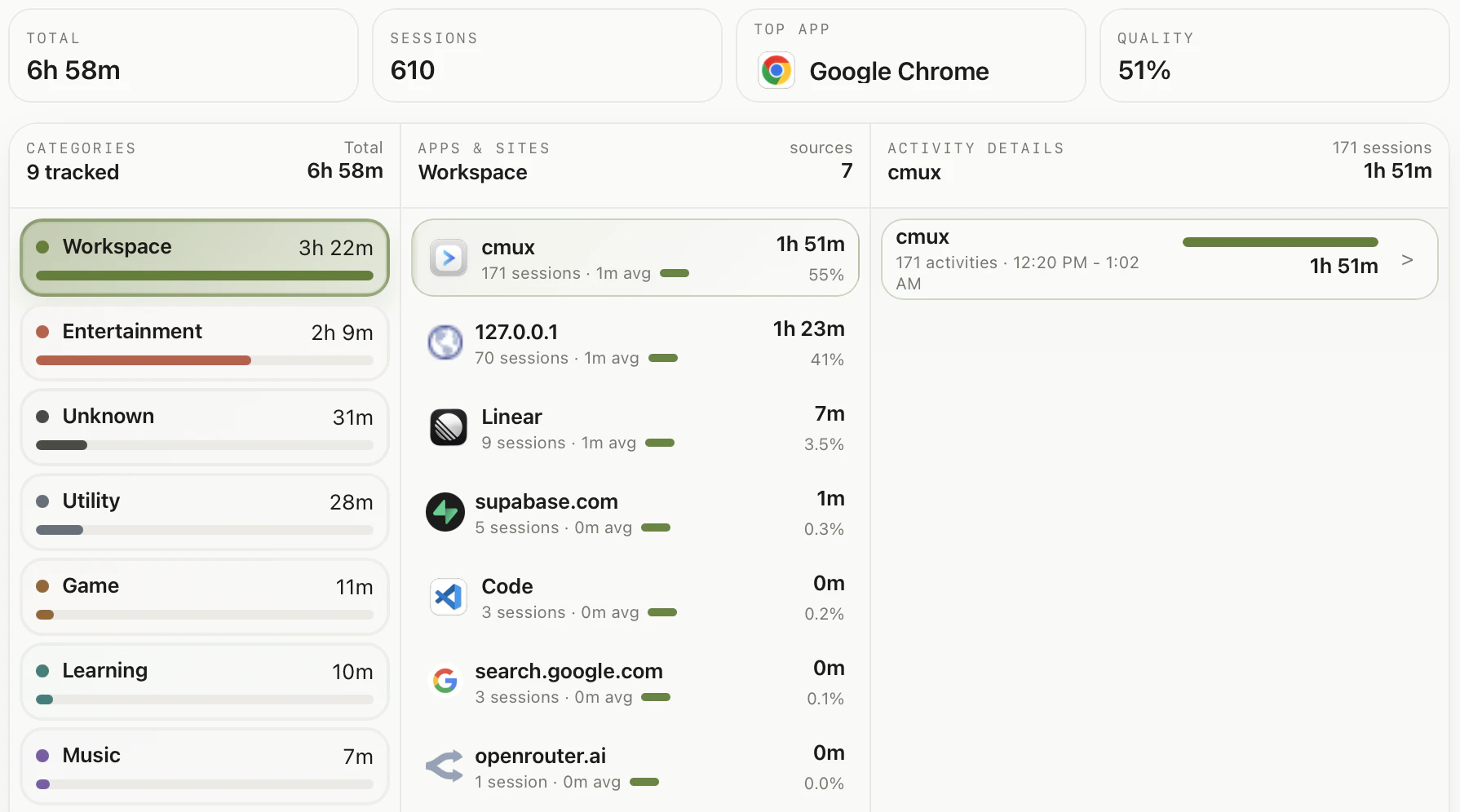
Categories show the shape of the day, apps and sites show where it happened, and activity details show what the time was actually spent on.
03Insight
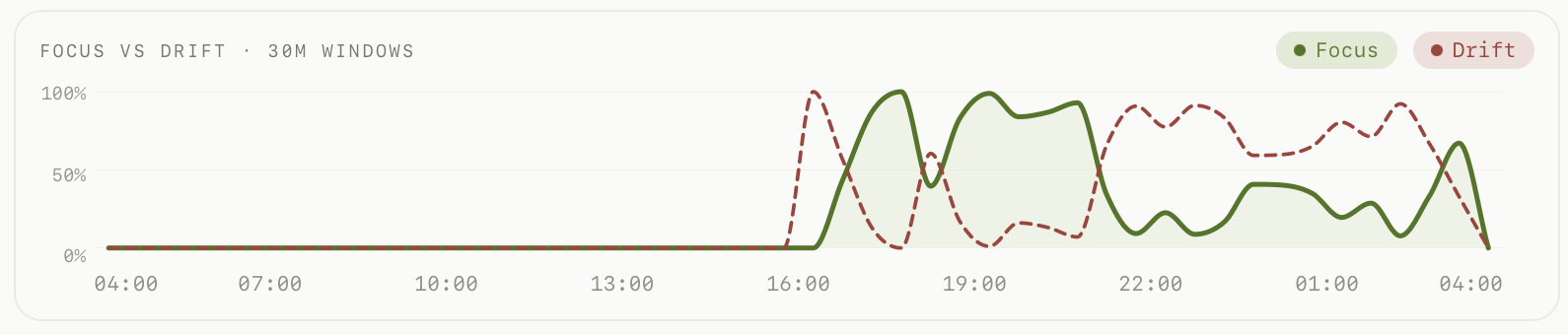
See when focus sessions are most common, when drift increases, and which patterns repeat across the week.
See when focus holds, when drift appears, and how your day changes hour by hour.
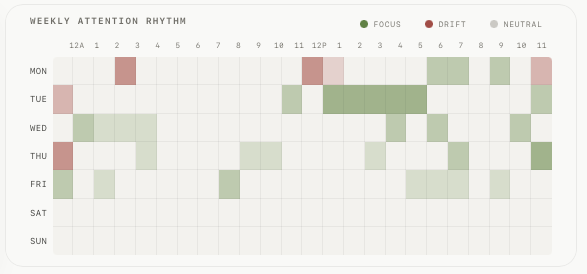
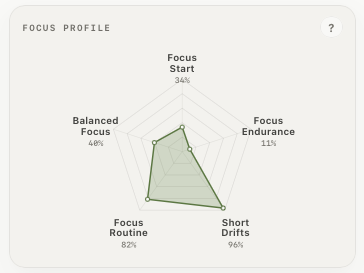
A weekly heatmap shows when focused work happens most often. The profile summarizes the pattern for planning.
04Companion & recovery
Companion stays close in your menu bar, then makes the next move clear when a confirmed drift needs attention.
Companion stays in your menu bar as a compact productivity ring. When drift is confirmed, choose a return, break, or correction.

Extreme Nudge is a Beta choice for stricter sessions. Instead of showing the alarm, it can close a drift browser tab or quit a drift app, then return to the latest focus surface when it is available.

The local cat is off by default, comes in six coats and four sizes, and only joins an intervention after drift is confirmed. Catch it before its paw lands and the tab or app stays open—the next card simply asks whether you are still drifting.
Why drifty
A focused comparison of automatic tracking, same-app context, AI classification, and control.
| Feature | drifty | Rize | RescueTime | Timely |
|---|---|---|---|---|
| Automatic tracking | ||||
| Same-app understanding | ||||
| Focus / Drift classification | ||||
| AI control | ||||
| Starting price | From $0/mo | From $12.99/mo | From $9/mo | From $11/mo |
Pricing and features as of July 2026, monthly billing, based on each product's public pricing page.
Real reactions from builders and researchers using drifty to stay in flow.

“I've been waiting for something like this forever! Existing time trackers didn't work for me because I always forgot to tell the tracker when I changed projects. I especially love the 'run it yourself and it's free' model.”
“The insights into how much work I do each day are pretty wild. It really helps me see my focus areas and where I need to be more conscious of when I drift. Also love that I can BYOK without signing up for yet another subscription.”

“The zero-data-retention pinning on the cloud path is the detail that actually matters most to me here — that's a real commitment, not just a policy line. The BYOK, local, and cloud split is a great answer to where data goes.”
No. drifty runs quietly on your Mac, records app, site, and session context in the background, and turns the day into a timeline you can review later. It is meant to understand the work, not just the app name.
No. drifty is not a screen recorder and does not save screenshots. The product is built around activity context, not visual surveillance.
You choose. Classification can run through drifty Cloud, on your Mac with Local AI, or with your own OpenRouter key.
You can switch modes later.
Activity capture stays local on your Mac. Cloud and OpenRouter classification need a connection; when you are back online, drifty can catch up and classify the captured sessions together. Local AI can classify on-device after you set up a local model.
Yes. Every production release ships as a .dmg signed with an Apple Developer ID and notarized by Apple, so macOS Gatekeeper verifies it before it opens.
Downloads are versioned and served from the public drifty releases repository.